How can I send faxes from my email?
To be able to send a fax by e-mail from your VoiceMailTel account, please make sure that the following conditions are met:
A. Check your voicemail delivery e-mail address:
1. Click on your extension


2. Select Call Routing
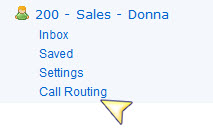

3. Then select option 6 – Voicemail


4. The email address you have set as your voicemail delivery address will be the only email address you will be able to send faxes from.


B. Enable your extension for fax sending:
1. Click on the System tab.


2. Select Extension manager
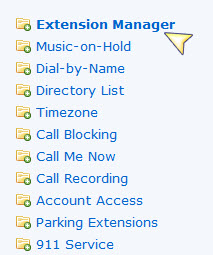

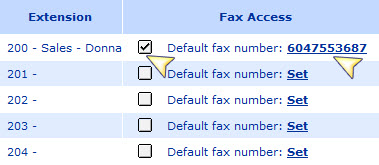
3. Enable the fax feature for your extension and set your fax number

Sending a fax by e-mail
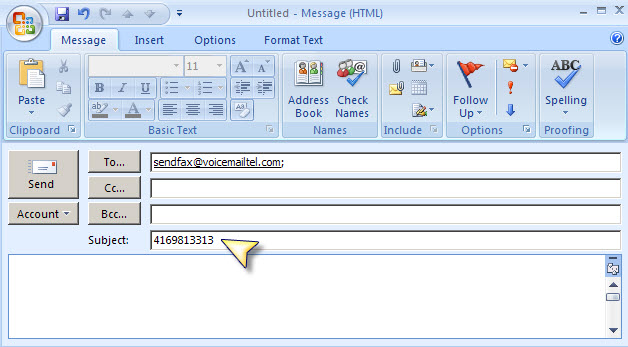
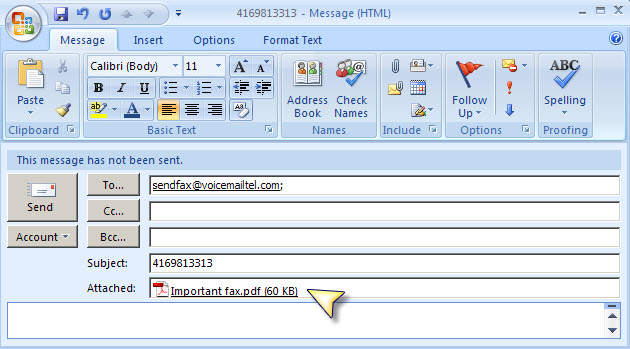
To send a fax through VoiceMailTel’s email-to-fax service, simply send an email message as per the following instructions. Please see the screenshot below. IMPORTANT: All faxes sent by e-mail need to be sent from the e-mail address you have registered on your VoiceMailTel Fax online account.
1. Send your message to sendfax@voicemailtel.com.
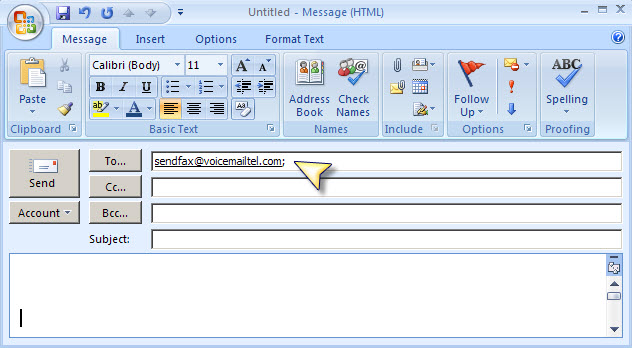

2. In the subject field enter the 10 digit number you want your fax to be sent to

3. Attach the document you want to fax in a .pdf or .tif format

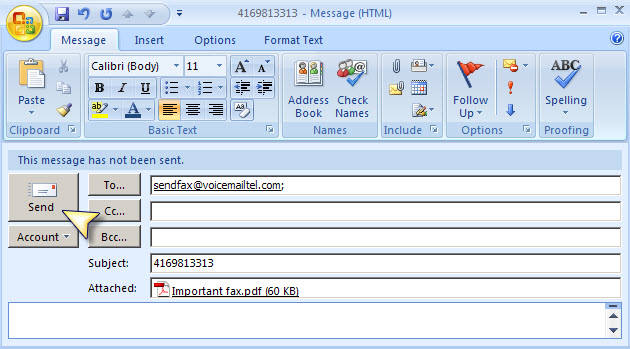
4. Click Send.

Notes: Email-to-fax messages are limited at 1 attachment/ e-mail.
For any questions regarding our fax service please call us at 866-868-4236 or send us an e-mail to support@voicemailtel.com
